Small Business POS System Costs: SoftwareFees, Hardware and Transaction Charges
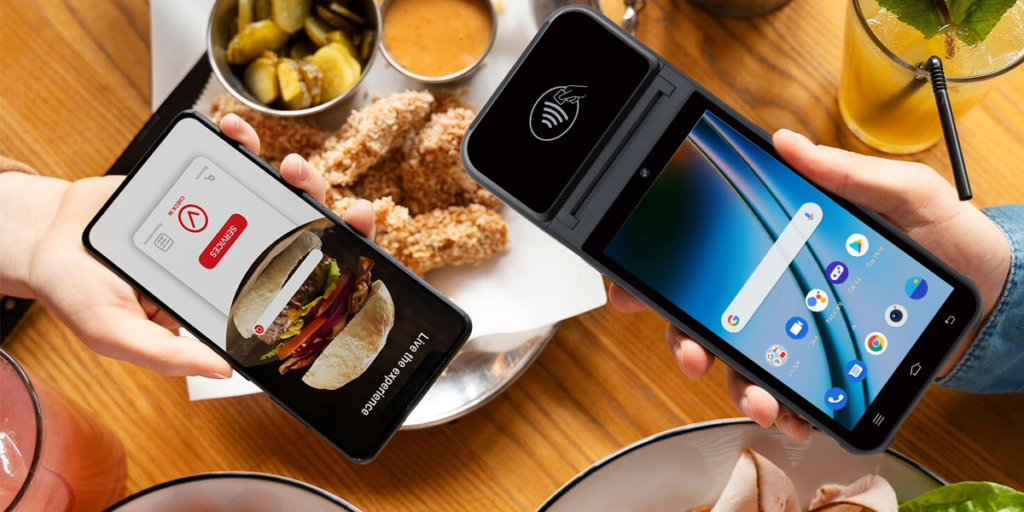
The advertised price of a point of sale system is usually the smallest part of what a small business pays. A free software plan can still cost hundreds of dollars a month once card fees are counted, and a system with a monthly fee can work out cheaper than a free one at the right sales volume. This article breaks small business POS system costs into software, hardware, payment processing and add-ons, using the providers’ own US pricing pages for Square, Clover, Lightspeed and Shopify.
How this was researched. BusinessDiscovered did not test any of these products. Every figure comes from a provider page or from the calculations shown. Clover’s pages load with JavaScript and could not be opened in full, so Clover figures come from text Clover publishes on its Station Duo pages and are marked where they come from other sources. Our content methodology explains how we handle sources and corrections.
The short answer
- Software: $0 to $149 per location per month at Square, $89 to $289 at Lightspeed (annual billing), $84.95 for Clover’s Retail Growth plan when hardware is bought outright. Shopify’s POS is included with a Shopify plan from $39 a month, with POS Pro at $89 per location.
- Hardware: $0 if you take payments on a phone, up to $1,999 for a kiosk. Counter systems in the published lists run from $899 to $1,899.
- Processing: 2.3% to 2.6% plus 10¢ to 15¢ on in-person cards in the published rates. Lightspeed’s rate is described inconsistently (see below).
- What matters most: on $20,000 of monthly card sales, processing costs about $510 to $595 in our examples, while software ranges from $0 to $149.
Break Down POS business model and get details easily with our free tool .
How Much Does a POS System Cost for a Small Business?
Four cost layers make up the total, and they behave differently:
- Software subscription. Recurring, often charged per location. Some providers have a $0 tier.
- Hardware. One-time purchase, or a monthly lease bundled with software.
- Payment processing. A percentage of each card sale plus a fixed fee. It rises with sales.
- Add-ons. Kitchen display software, text marketing, gift cards, extra devices, payroll and similar extras.
Software and hardware are fixed costs you can plan for. Processing is the variable cost, and for a store with steady card sales it is usually the largest line. That is why comparing monthly subscription prices alone leads to the wrong answer.
POS Software Costs: Free vs. Paid Plans
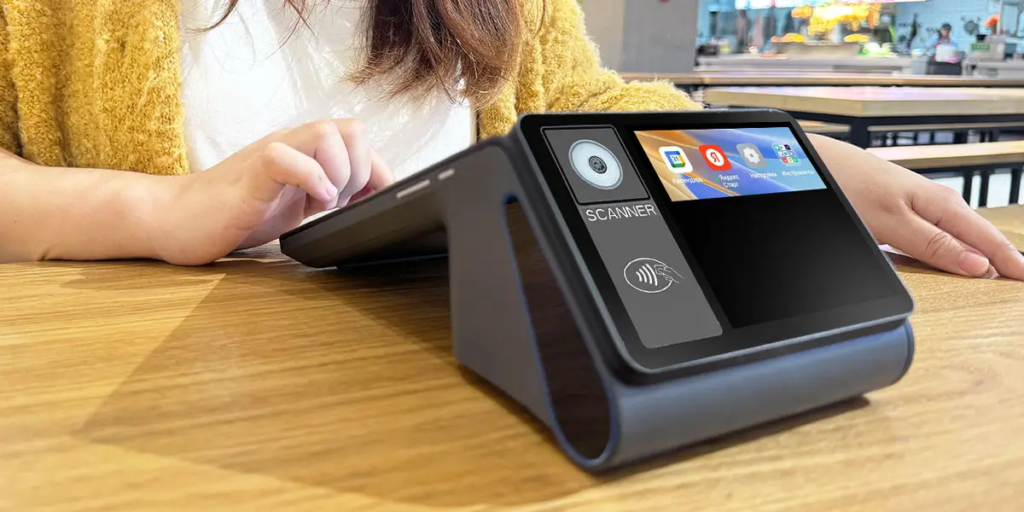
Our Firt Table lists the published US software plans from Square, Clover, Lightspeed and Shopify. Prices are per location per month unless noted.
| Provider | Plan | Monthly cost | Important features | Limitations |
|---|---|---|---|---|
| Square | Free | $0 | POS app and payments, item library, website builder with SEO tools | Highest standard card rate; phone support for the first 90 days only; 2.5% gift card load fee |
| Square | Plus | $49 | Staff management, loyalty program, expanded site customization | Fee applies to each location; 500 texts included, then 3¢ each |
| Square | Premium | $149 | Advanced reporting, no gift card load fees, 24/7 phone support | Fee applies to each location; custom pricing only above $250,000 a year |
| Clover | Retail Growth | $84.95 (hardware bought outright) | Sales and tax reporting, cost tracking | Requires Clover hardware; other Clover plan prices not verifiable on clover.com |
| Lightspeed | Basic / Core / Plus | $89 / $149 / $289 (annual billing) | Inventory, integrated payments, eCommerce, loyalty and API access on higher plans | No free plan; one register included; the price shown assumes annual billing |
| Shopify | POS Lite | Included with a Shopify plan from $39 | In-person payments, simple customer profiles | Limited staff access on the Basic plan; POS is an add-on to an online store |
| Shopify | POS Pro | +$89 per location | Unlimited staff logins, roles and permissions, inventory tools, retail reports | Billed per location; confirm monthly vs. annual billing |
Three points the table does not show on its own. First, Square’s Plus and Premium fees apply to each location you run, so a second shop doubles the subscription. Second, Lightspeed’s headline prices assume annual billing, and monthly billing is reported at $109, $179 and $339 by TechRepublic, a secondary source. Third, Shopify POS is not a standalone product: the cheapest route to it is a Shopify plan that also includes an online store you may not need.
POS Hardware Costs
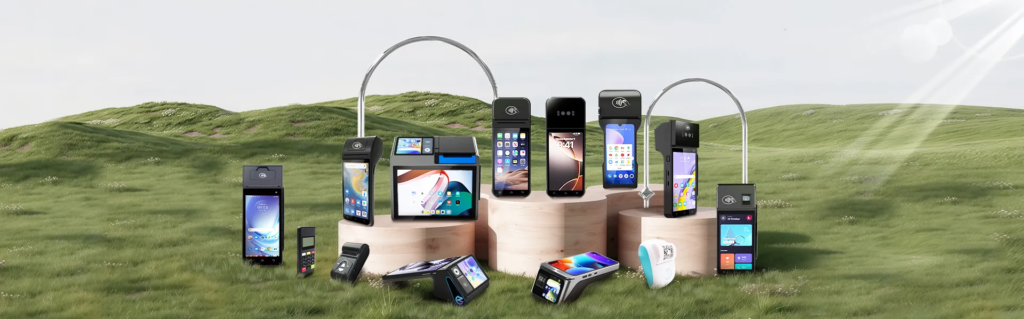
Hardware is the one-time layer, unless you lease it. Our Second Table lists devices with a published price on Square’s hardware page, Shopify’s hardware store and Clover’s Station Duo page. Lightspeed’s hardware page lists items but no prices.
| Hardware | Purpose | Pricing | One-time or recurring |
|---|---|---|---|
| Square Reader (contactless and chip) | Card reader for a phone or tablet | $59 | One-time |
| Square Stand | iPad stand with integrated reader (iPad not included) | $149 | One-time, or $14/mo over 12 months |
| Square Terminal | Compact card machine with printer | $299 | One-time, or $27/mo over 12 months |
| Square Handheld | Pocketable POS with barcode scanner | $399 | One-time, or $37/mo over 12 months |
| Square Register (2nd gen) | Two-screen counter system | $899 | One-time, or $44/mo over 24 months |
| Square Kiosk | Self-service ordering | $1,999 | One-time; kiosk software is a separate monthly fee |
| Shopify Tap & Chip reader | Mobile card reader | $49 | One-time |
| Shopify POS Terminal | Countertop terminal with customer display | $349 | One-time |
| Clover Station Duo | 14-inch register with customer screen and cash drawer | $1,899, or $180/mo for 36 months with Retail Growth software | One-time or recurring |
| Lightspeed hardware | iPad kits, printers, scanners, drawers, terminals | Not shown on Lightspeed’s page (quote or store) | One-time |
Accessories. A full counter usually needs a tablet or screen, a receipt printer, a barcode scanner and a cash drawer. Lightspeed’s iPad kit bundles a printer, drawer, scanner, stand and paper, but the iPad and payment terminal are not included, and no price is published. We did not verify printer, scanner or drawer prices for any provider, so budget by checking each provider’s accessory store. A Square guide citing Forbes puts small business hardware at roughly $69 to $1,200 or more, a range that shows how much depends on the setup. For an example of how we itemise equipment budgets, see our car wash equipment cost breakdown.
Financing and leases. Square’s installment plans carry a 15% APR. Clover’s monthly bundle spreads the cost, but it costs more over time: a Station Duo at $180 for 36 months totals $6,480, while buying it at $1,899 and paying $84.95 a month for software over the same 36 months totals $4,957.20. The lease costs $1,522.80 more. Lightspeed states that existing terminals cannot be reused with Lightspeed Payments, so switching to it means new payment hardware.
If you only need to take payments, no hardware is required: Square lists Tap to Pay on iPhone and Android, invoicing, payment links and a virtual terminal as hardware-free options.
POS Payment Processing Fees Explained
A card fee has two parts: a percentage of the sale and a fixed amount per sale. A 2.6% + 15¢ rate on a $40 sale is $1.04 plus $0.15, or $1.19, which is an effective rate of 2.98%. The fixed part matters most on small sales. Table 3 uses the rates on Square’s, Clover’s and Shopify’s pricing pages, plus the Lightspeed pages discussed below it.
| Provider | In-person fees | Online fees | Important conditions |
|---|---|---|---|
| Square | 2.6% + 15¢ (Free), 2.5% + 15¢ (Plus), 2.4% + 15¢ (Premium) | 3.3% + 30¢ (Free), 2.9% + 30¢ (Plus, Premium) | Keyed or card-on-file 3.5% + 15¢ on all plans; non-US cards add 1.5%; Afterpay 6% + 30¢; ACH 1% ($1 minimum) |
| Clover | 2.3% + 10¢ on Growth plans | 3.5% + 10¢ (keyed or online) | Lower-tier plans are reported at 2.5% to 2.6% + 10¢ by secondary sources; terms depend on the processor or reseller |
| Lightspeed | 2.6% + 10¢ on Lightspeed’s payments page | Not confirmed on a US official page | The pricing table also shows a 1.5% card-present rate with no stated basis; $15 per chargeback |
| Shopify | 2.6% + 10¢ (Basic), 2.5% + 10¢ (Grow), 2.4% + 10¢ (Advanced) | 2.9% + 30¢, 2.7% + 30¢, 2.5% + 30¢ | An extra 2%, 1% or 0.6% applies if you use a third-party processor |
Lightspeed’s rate. Lightspeed’s payments page states 2.6% + 10¢ for tapped, inserted or swiped cards. Its current retail pricing table lists a card-present rate of 1.5% without saying what it applies to. One independent reviewer, WHICHpos, reads it as tied to specific bundles. Until Lightspeed confirms the basis in a quote, treat 1.5% as unverified and ask for the rate in writing.
Effective rate by sale size. The same rates cost different amounts depending on the average sale:
| Average sale | Square Free (2.6% + 15¢) | Clover Growth (2.3% + 10¢) |
|---|---|---|
| $10 | $0.41 (4.10%) | $0.33 (3.30%) |
| $40 | $1.19 (2.98%) | $1.02 (2.55%) |
| $100 | $2.75 (2.75%) | $2.40 (2.40%) |
This is an illustrative calculation from the published rates, not a measured result. A coffee stand with $6 sales feels the fixed fee far more than a furniture store with $200 sales.
Square vs. Clover vs. Lightspeed vs. Shopify POS: Cost Comparison
The numbers below are a hypothetical business: $20,000 in monthly in-person card sales across 500 transactions (a $40 average), excluding hardware, taxes and add-ons. Processing uses the rates in Table 3.
| Setup | Monthly software | Processing | Monthly total | Effective rate |
|---|---|---|---|---|
| Square Free | $0 | $595.00 | $595.00 | 2.98% |
| Square Plus | $49 | $575.00 | $624.00 | 3.12% |
| Square Premium | $149 | $555.00 | $704.00 | 3.52% |
| Clover Retail Growth | $84.95 | $510.00 | $594.95 | 2.97% |
| Shopify Basic (POS Lite) | $39 | $570.00 | $609.00 | 3.05% |
| Lightspeed Basic | $89 (annual billing) | Not determinable from public data | n/a | n/a |
Two cautions. Shopify’s $39 includes an online store, so it is not a like-for-like POS price. Lightspeed cannot be calculated because its card rate is described two ways. We do not rank these providers: at this volume Square Free and Clover land within a nickel of each other, and the answer changes with sales volume, average sale and hardware.
A year-one and three-year view. Adding hardware changes the picture. This assumes the same $20,000 and 500 sales a month, and compares a Square Register with a Clover Station Duo:
| Setup | Hardware | Year-one total | Three-year total |
|---|---|---|---|
| Square Free + Register ($899) | $899 | $8,039 | $22,319 |
| Clover Retail Growth + Station Duo, bought outright | $1,899 | $9,038.40 | $23,317.20 |
| Clover Station Duo, 36-month bundle | $0 upfront | $8,280 | $24,840 |
This comparison is not like-for-like. Clover’s Station Duo price includes a cash drawer, while we did not price a drawer or printer for the Square Register. Add those before drawing conclusions.
When Does a Paid Plan Pay for Itself?
A paid plan only helps financially if the rate saving is larger than the subscription. These break-even points come from the published rates:
- Square Plus vs. Free. Plus cuts the in-person percentage by 0.1 points (2.5% vs. 2.6%) and keeps the same 15¢ fixed fee. The $49 fee is recovered at about $49,000 in monthly in-person card sales.
- Square Premium vs. Plus. Another 0.1-point cut for $100 more a month breaks even at about $100,000 a month. Against Free, Premium needs about $74,500.
- Clover Retail Growth vs. Square Free. At a $40 average sale, Clover saves $0.17 per transaction ($0.12 from the lower percentage and $0.05 from the lower fixed fee). That covers the $84.95 software fee at about 500 transactions a month, ignoring hardware.
Features can justify a higher tier even below these volumes: staff permissions, loyalty tools, inventory counts and 24/7 support are real. But if the reason is only a lower card rate, check the break-even first.
Hidden POS Costs Small Businesses Should Consider
Only charges backed by a provider page or a clearly labelled secondary source are listed.
- Per-location and per-device fees. Square Plus and Premium are charged per location. Shopify POS Pro is $89 per location. Square’s kitchen display software is $20 to $30 per device a month, and kiosk software is $50 to $99 per device a month.
- Higher rates for keyed and online sales. Square charges 3.5% + 15¢ on keyed or card-on-file payments, and Clover charges 3.5% + 10¢. Phone orders typed into a terminal fall here.
- Extra percentages on specific payments. Square adds 1.5% on non-US cards, charges 2.5% to load gift cards on the Free and Plus plans, and 6% + 30¢ on Afterpay.
- Tier-gated features. Lightspeed’s API, workflows and custom user roles sit on its higher plans. Square’s staff management starts at Plus, and Shopify’s staff roles and inventory tools require POS Pro.
- Financing interest. Square’s installment plans carry a 15% APR.
- Contract length. Square says Plus and Premium can be cancelled or switched anytime. For Clover, secondary sources report 36-month terms: Olet’s lease analysis says the subscription cannot be cancelled early, and a Fiserv review describes three-year contracts with early termination fees, often through resellers. Read your actual agreement.
- Hardware lock-in. Lightspeed says existing terminals cannot be reused with its payments product. Reports say Clover devices work only with Clover’s processing; confirm this before buying.
- Chargebacks. Lightspeed charges $15 per chargeback. Square’s Canadian help center says it does not charge dispute-management fees; we could not confirm the same wording on the US page.
- Billing frequency. Lightspeed’s lower prices assume annual billing.
- Costs outside the POS. A tablet for Square Stand or Lightspeed’s iPad kit, internet service and sales tax are not in the plan prices.
How to Calculate the Total Cost of a POS System
Use this framework with your own numbers:
- Estimate monthly card sales and the number of transactions. Divide to get your average sale. Use your existing sales records, not a guess.
- Calculate processing. Monthly card sales × percentage, plus transactions × fixed fee. Run it separately for in-person and online sales.
- Add the monthly software fee, multiplied by the number of locations.
- Add add-ons you will actually use: kitchen displays, text marketing, extra devices.
- Add hardware once, or the monthly lease if you lease. Divide a purchase by 36 to compare it fairly with a 36-month plan.
- Compare totals at your volume and at 50% more and 50% less. Break-even points move, so a plan that wins at today’s volume may lose after a slow season.
The tables above show the method worked through for a hypothetical $20,000 business. Our Business Profit Estimator can help you test how these costs affect operating profit.
How to Choose a POS System Based on Your Budget
- Retail stores. Inventory depth drives the choice. Lightspeed’s higher plans emphasize inventory tools, and Shopify fits stores with an online shop. Square’s lower tiers suit simple catalogs. Counter hardware is where retail budgets grow.
- Mobile businesses and pop-ups. The cheapest start is a phone with Tap to Pay (no hardware) or a $49 to $59 reader. Compare it against a handheld at $399 if you need a built-in scanner. Mobile operators can see how this fits a wider setup in our food truck business plan and mobile detailing guide.
- Service providers. Appointment and invoicing tools matter more than counter hardware. Square lists booking and invoicing features on its pricing page; check which plan includes the ones you need.
- Restaurants. Kitchen displays and per-device fees change the math. Square’s kitchen display software costs $20 to $30 per device, and Clover’s Restaurant Growth plan is $89.95 a month. This article focuses on retail-style counters and did not research restaurant-specific providers.
A useful rule: pick the cheapest setup that covers the features you need on day one, then re-run the break-even check every year.
Is a Free POS System Really Free?
Square’s Free plan has no monthly software fee, but it carries the highest standard card rate of Square’s three plans. Shopify’s POS Lite is included at no extra cost, but only with a Shopify subscription. In both cases you pay through processing, and through limits: Square Free includes phone support for the first 90 days, and Shopify’s Basic plan allows limited staff access.
“Free” is a good fit when sales are low, when you are testing a business, or when you need no contract. It becomes expensive when volume is high enough that a lower rate would save more than a subscription, which for Square’s published tiers starts around $49,000 a month in card sales.
Frequently Asked Questions
How much does a POS system cost for a small business? Software ranges from $0 to $289 a month in the published plans. Hardware ranges from $0 to $1,999. Card fees of 2.3% to 2.6% plus 10¢ to 15¢ per sale are usually the largest ongoing cost.
Is Square’s POS really free? The software plan is $0, and no hardware is required for phone-based payments. You still pay 2.6% + 15¢ on in-person cards on the Free plan, and higher rates for online and keyed sales.
Does Clover require a contract? Clover’s bundles are sold over 36 months, and secondary sources report non-cancellable terms. Clover’s own terms could not be opened for this article, so read the agreement before signing.
Which POS is cheapest for a low-volume business? At our $20,000 a month example, Square Free and Clover Retail Growth cost nearly the same on software plus processing, before hardware. Below that volume Square Free is cheaper, since Clover’s fee is fixed.
Do I need to buy hardware? Not to start. Square supports Tap to Pay on iPhone and Android, invoicing and payment links without hardware, and Shopify lists Tap to Pay as a no-hardware option.
Why do online and keyed payments cost more? Providers price them higher because they carry more fraud risk than a chip or tap payment. Square’s keyed rate is 3.5% + 15¢ and Clover’s is 3.5% + 10¢.